

Places you’ll
come back to.
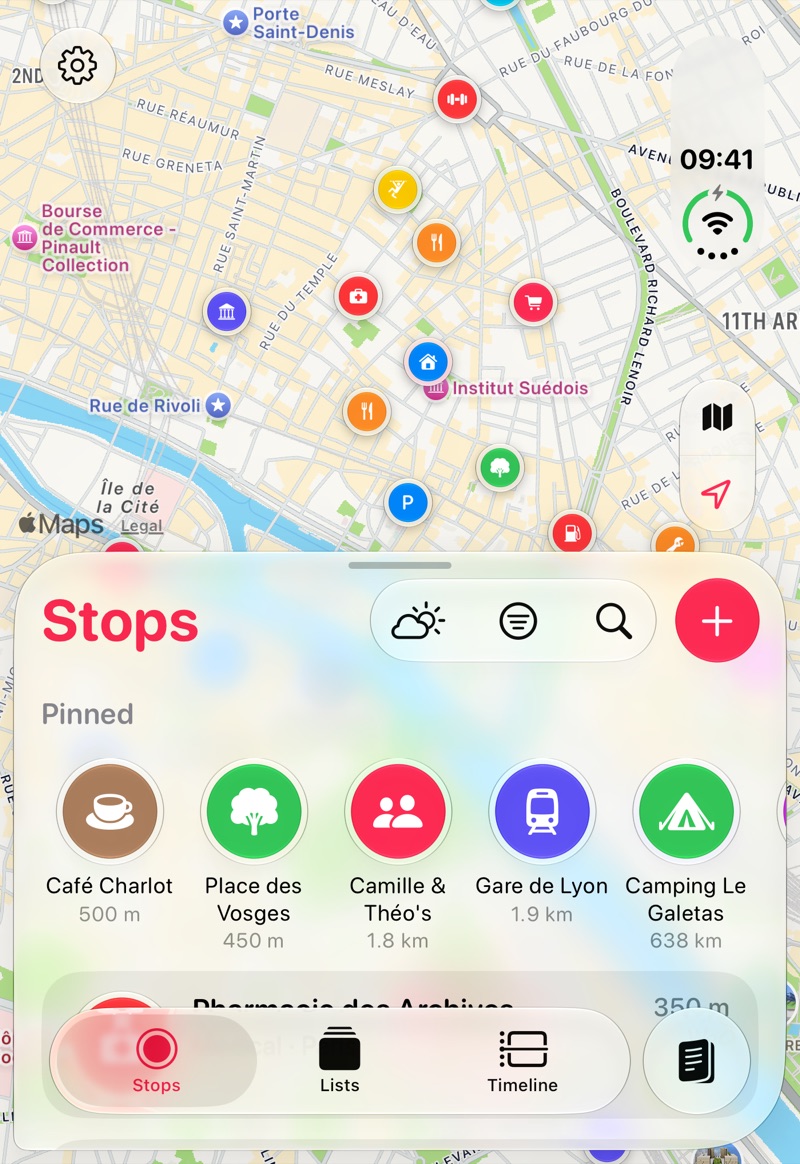
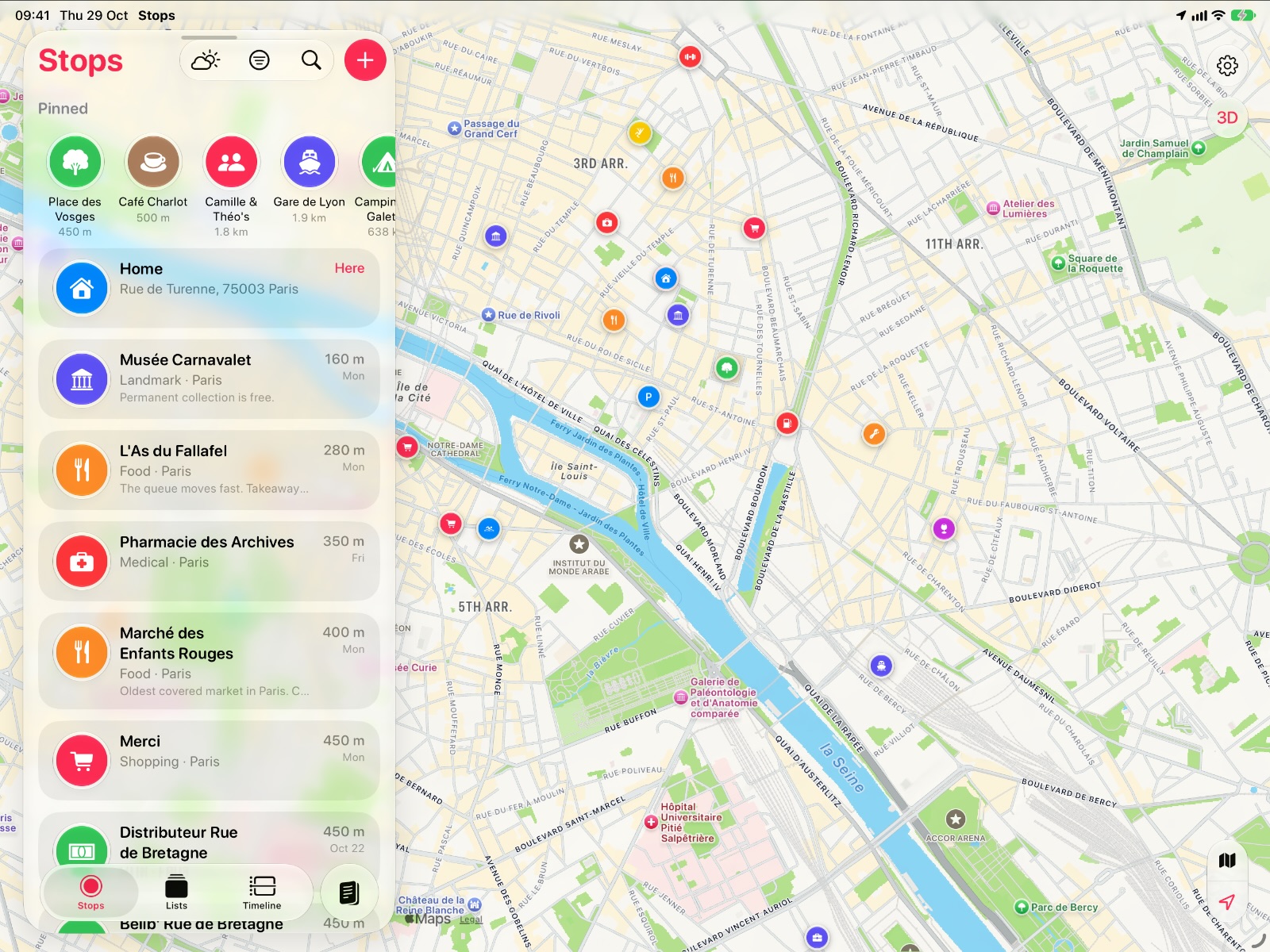
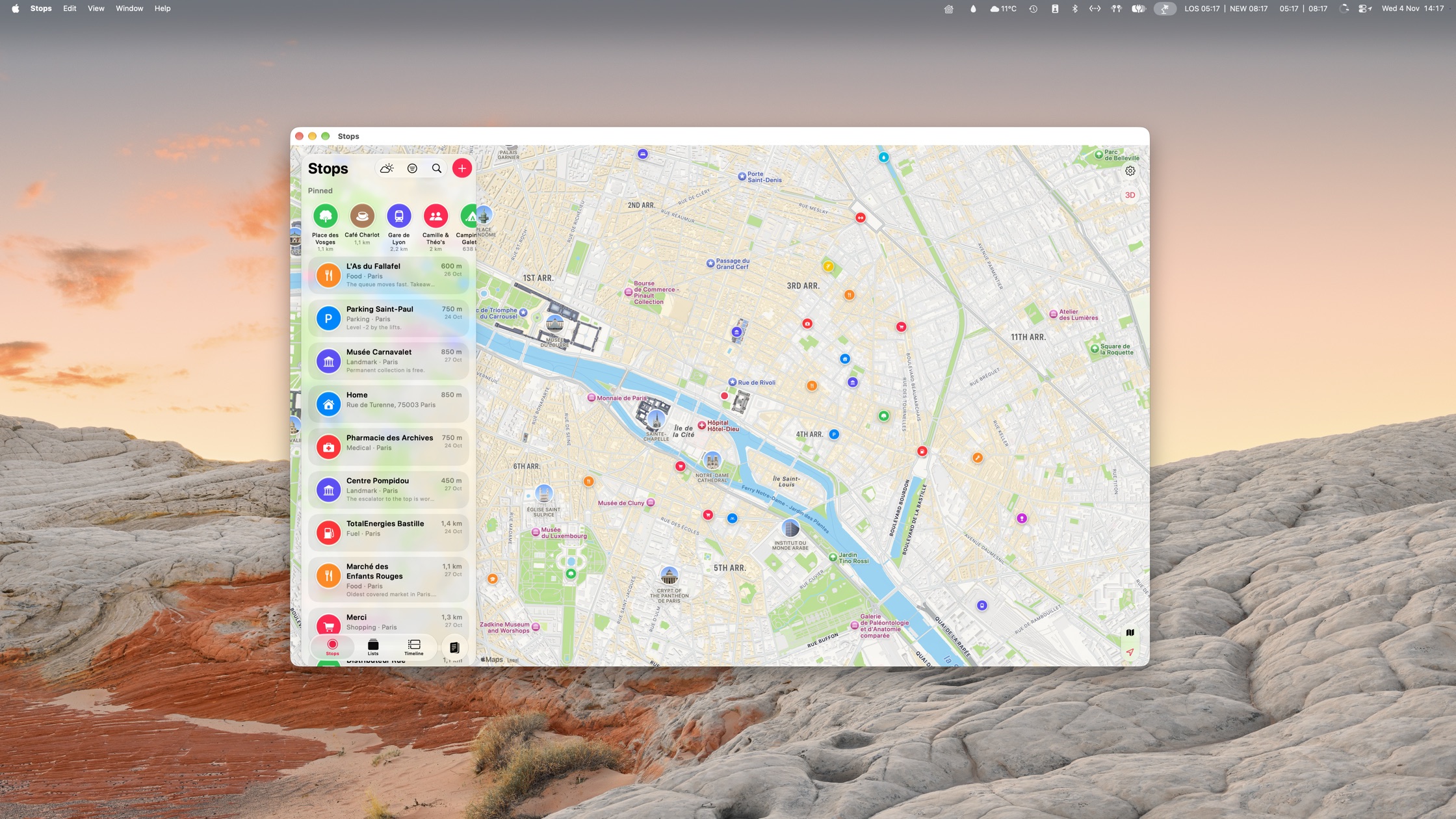
Save a spot in a tap. Stops quietly remembers where you went, turns your days away into trips, and has the forecast ready for the next one. You get on with the adventure.
No account. No servers of ours. Everything stays in your own iCloud.
Coming 1 December to iPhone, iPad, Mac and Apple Watch
Map apps get you there. Stops keeps the places.
Maps apps are built for navigation, so saving a spot of your own takes more taps than it should. Stops is for the places you find on the way: a quiet spot to camp, a view worth a cup of tea, a hike you want to do again, the shop that had everything. See it, save it, and it’s waiting next time you’re near.
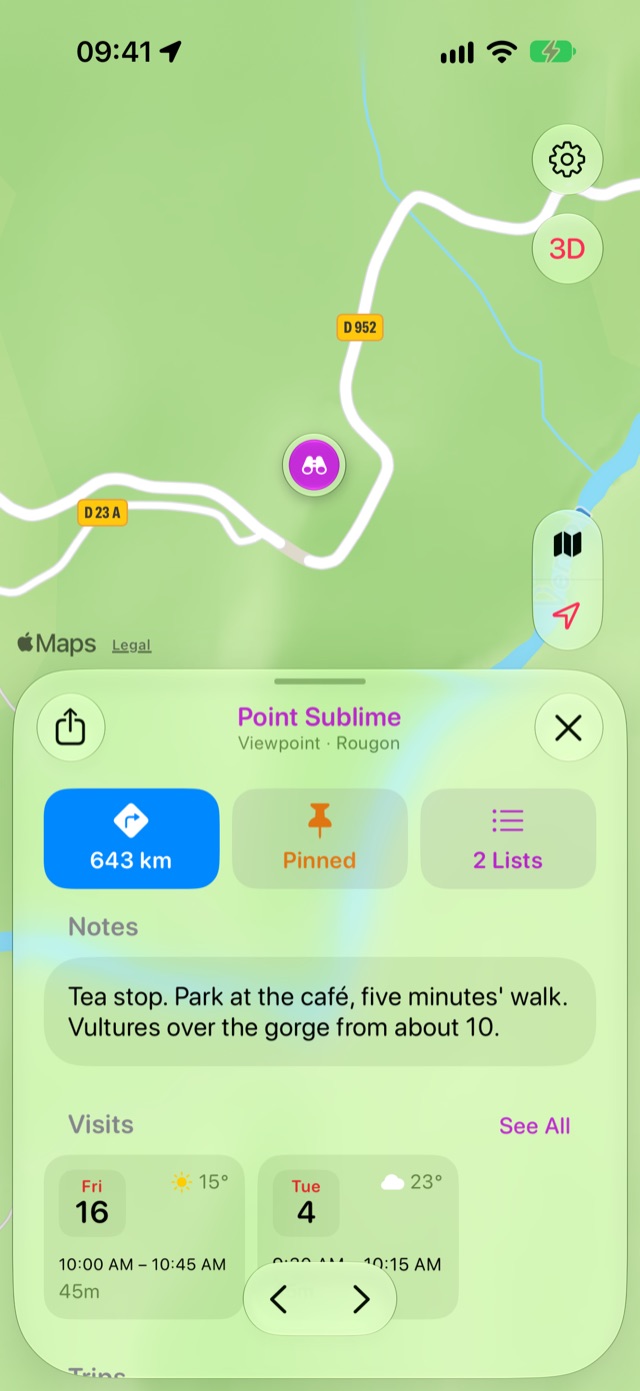
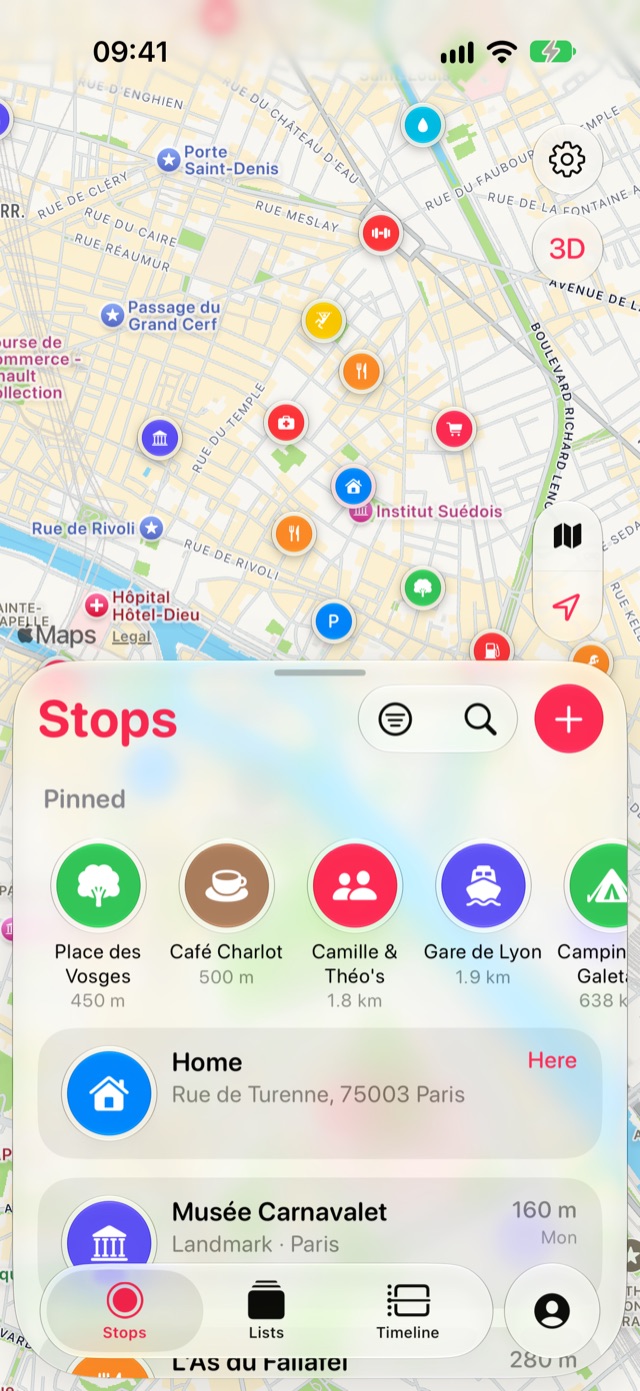
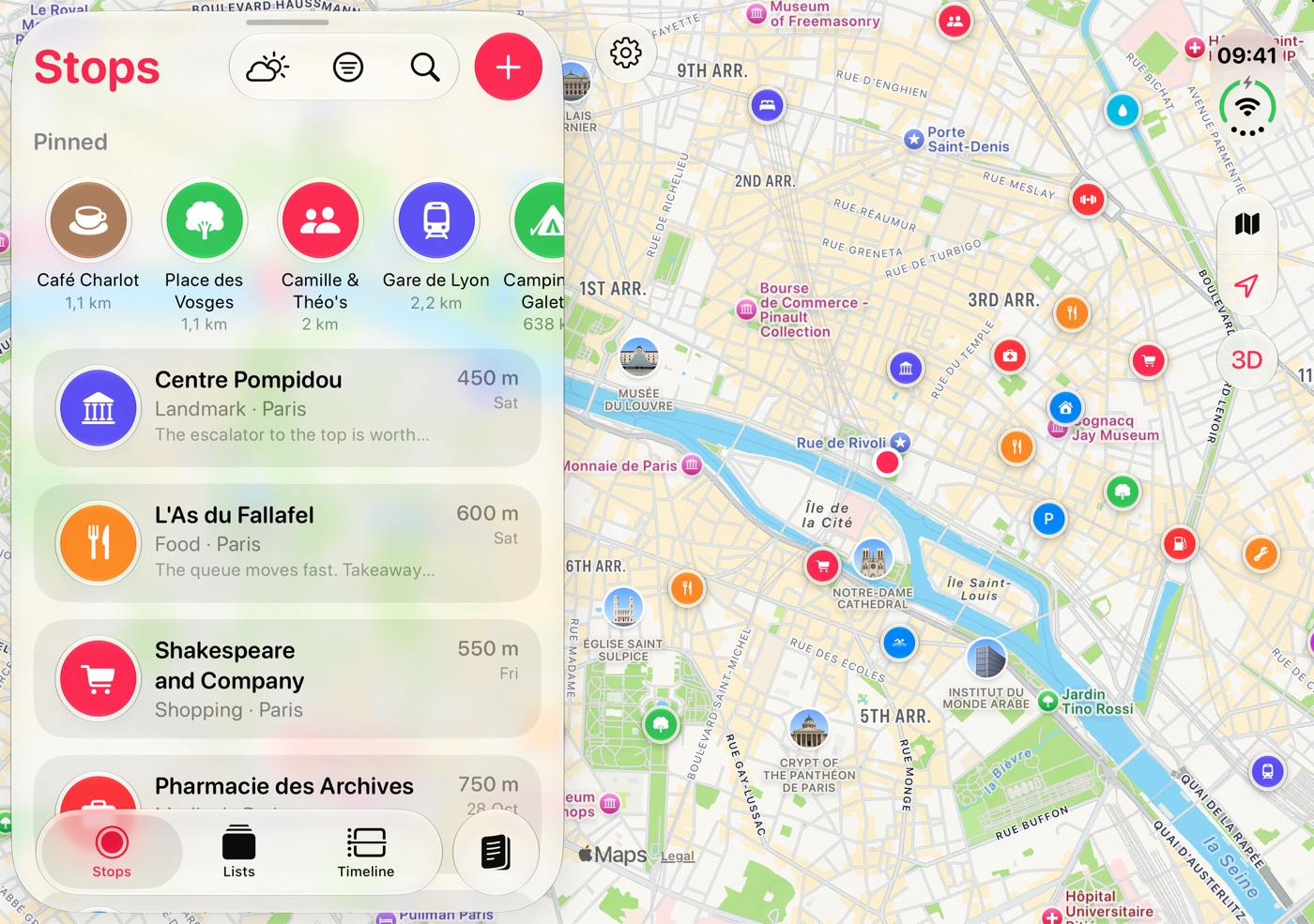
Save the places you’d like to come back to.
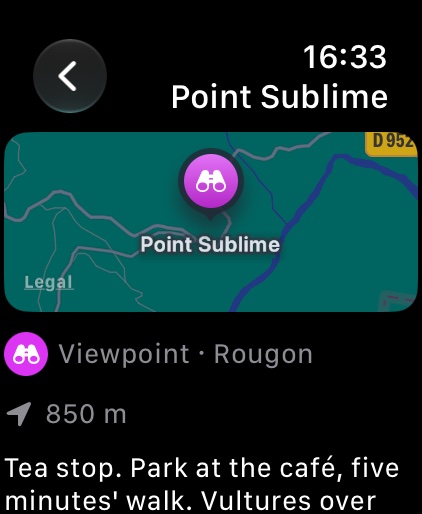
The quiet lake, the view that made you pull over, the shop that had everything. One tap and it’s a stop on your map, with a note to your future self, so the next time you’re passing you know it’s there.
- See how far away each stop is, and get directions in one tap, in your favourite navigation app
- Save where you are from a widget, Siri or your Apple Watch, without opening the app
- Find any stop from Spotlight, Siri or Visual Intelligence
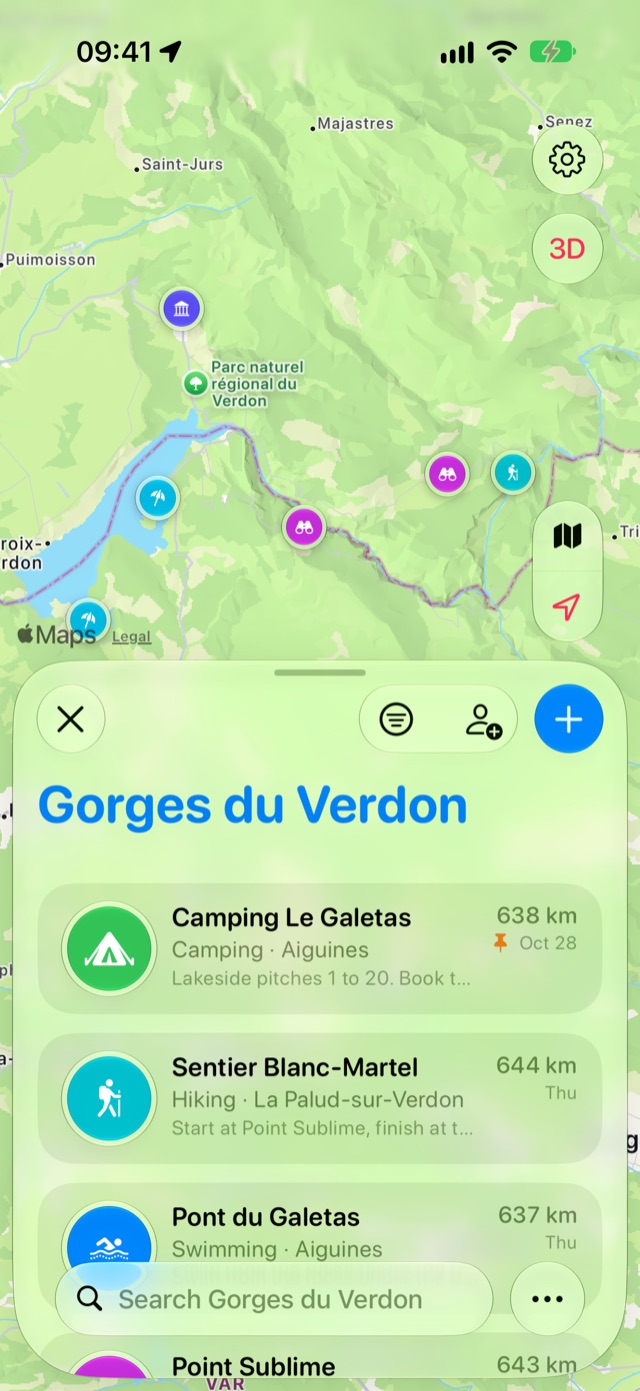
Lists to plan with, and to share.
Group stops into lists for a road trip, a weekend away or a food crawl. Share a list with whoever’s in the car, and everyone can add to it.
- Shared lists stay in sync through iCloud, and you can see what others have added
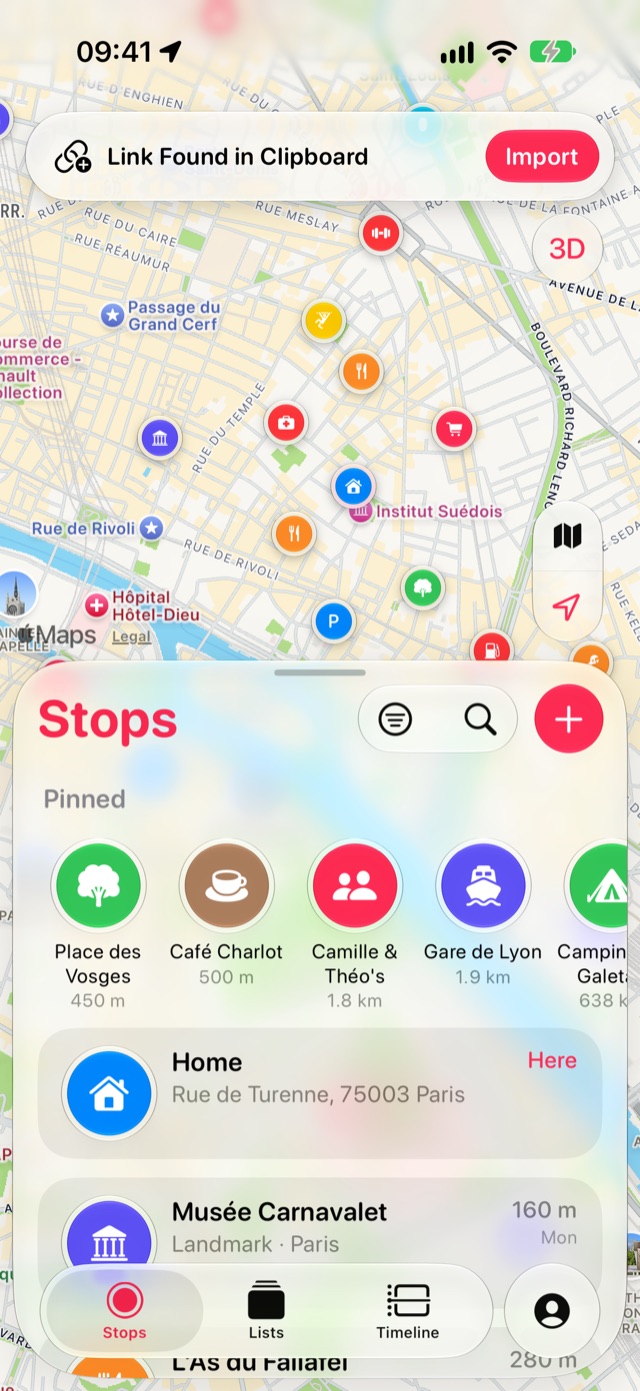
Bring in places from blogs and other apps.
The bakery from a blog, the bar a friend sent you, a whole Google Maps list or an Apple Maps guide. Share it to Stops and it’s on your map. Copied a link? Stops spots it when you come back and offers to save it.
- Works from the share sheet in any app
- Understands Apple Maps and Google Maps links, addresses and coordinates
- Name, address and category filled in for you
- Import Apple Maps guides, Google Takeout and GPX files, free for everyone (see how)
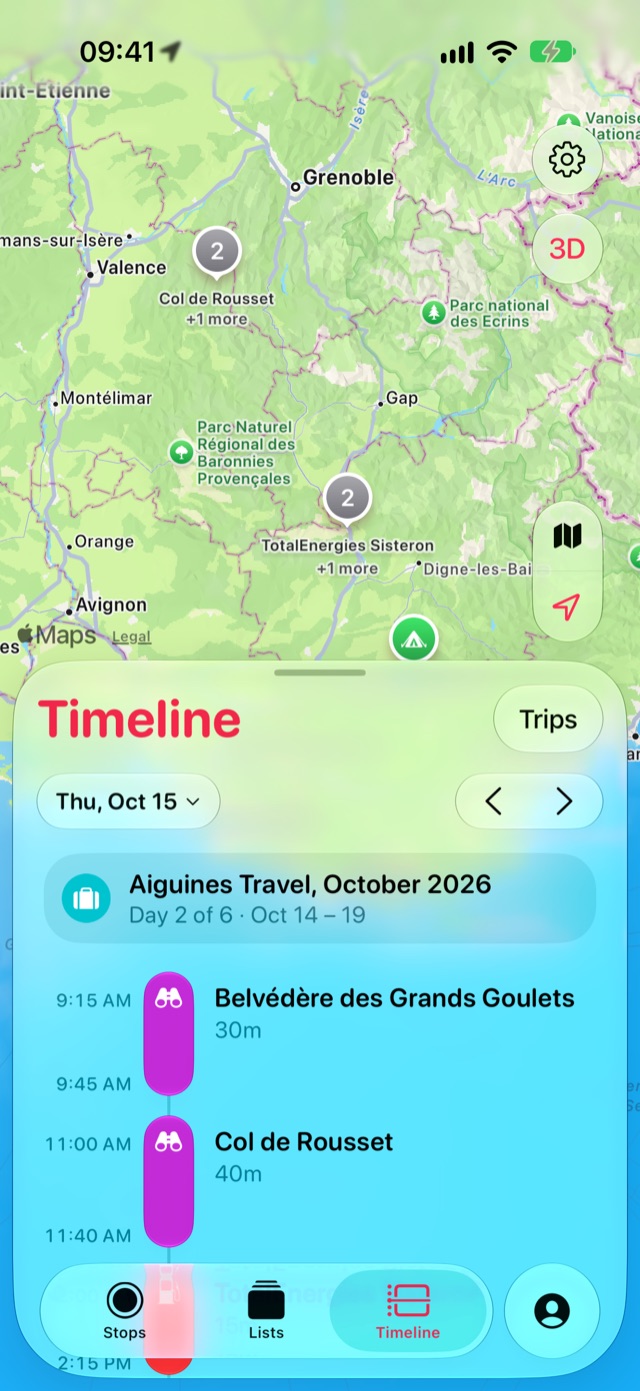
Stops remembers, so you don’t have to.
Switch on Timeline once and that’s the last thing you have to do. Days, trips and countries fill themselves in from where you actually go, with nothing to write down. Later, from the couch, the places you liked become stops in a tap.
Where you’ve been, day by day.
Stops quietly notes the places you spend time at, so you can look back at any day of a trip. Where you’ve been is yours alone: it lives on your devices and in your own iCloud, and nothing about it is collected or sent anywhere, ever.
- See each day as a map and a list of visits
- The weather at the time of every visit
- Save any place you were at as a stop, right from the day
- No account, no servers, no analytics. Nobody can see your Timeline but you
Years of trips, found in your photos. Pro
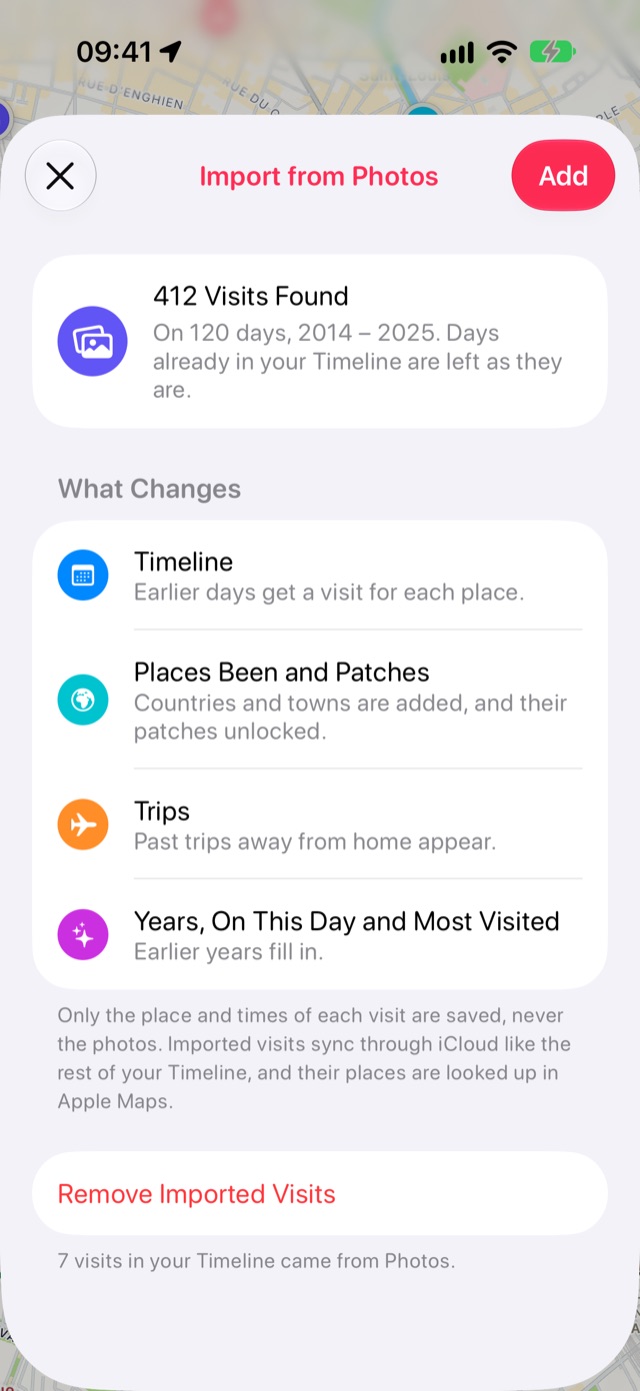
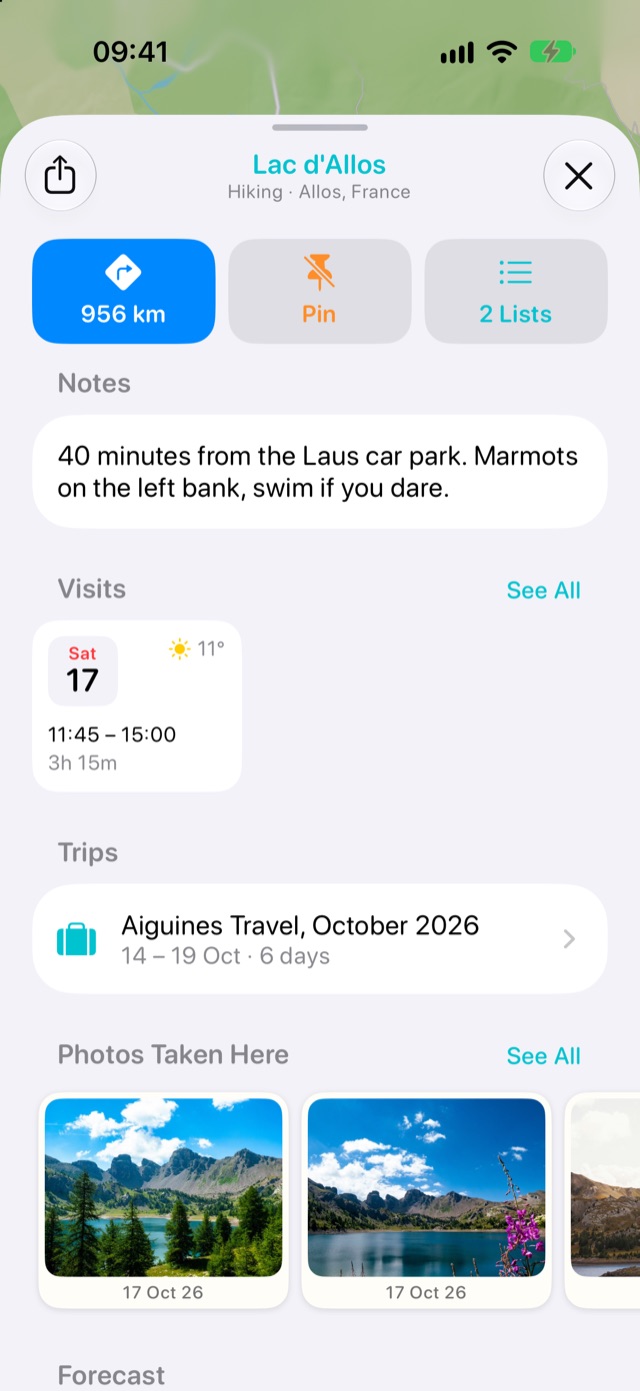
Stops can fill in your Timeline, trips and countries from the photos you took before you had the app, years back. And on every stop, the photos you took there are waiting on its card.
- Your photos stay in your library. Nothing is copied, stored or uploaded
- You see what was found before anything is added
- Open a stop to see the photos you took there, from every visit
Your trips, found for you. Pro
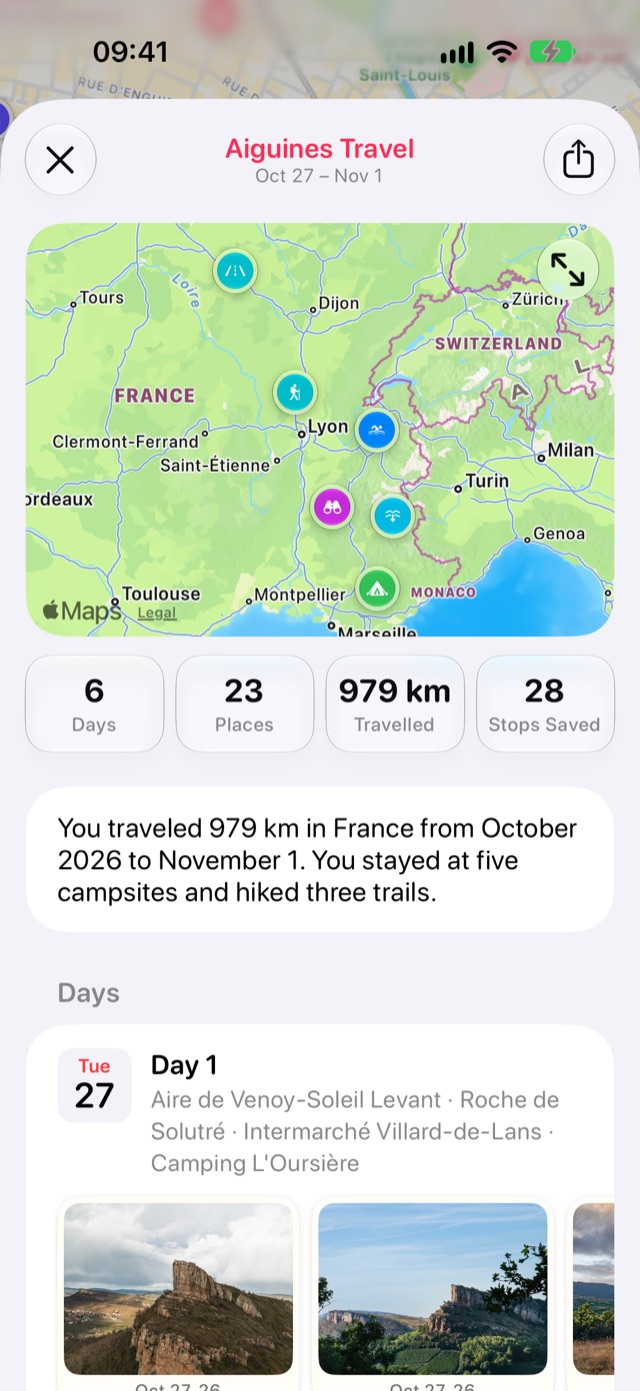
Spend a few nights away from home and Stops turns those days into a trip, with its map, towns, figures and photos.
- Once you’re home, Stops picks out the places from the trip worth keeping, and each becomes a stop in a tap
- Share a trip as a map image
- Each country gets its own journal with your towns, trips, most-visited places and stops
And a patch for every country.
Cross into a new country and its embroidered patch is yours. A small reward for getting out there.








The next trip starts from places you already love.
Every stop you kept is a candidate for the weekend. Stops puts the forecast on each one, lines them up by the weather, and finds the ones along the drive.
The forecast on every stop. Pro
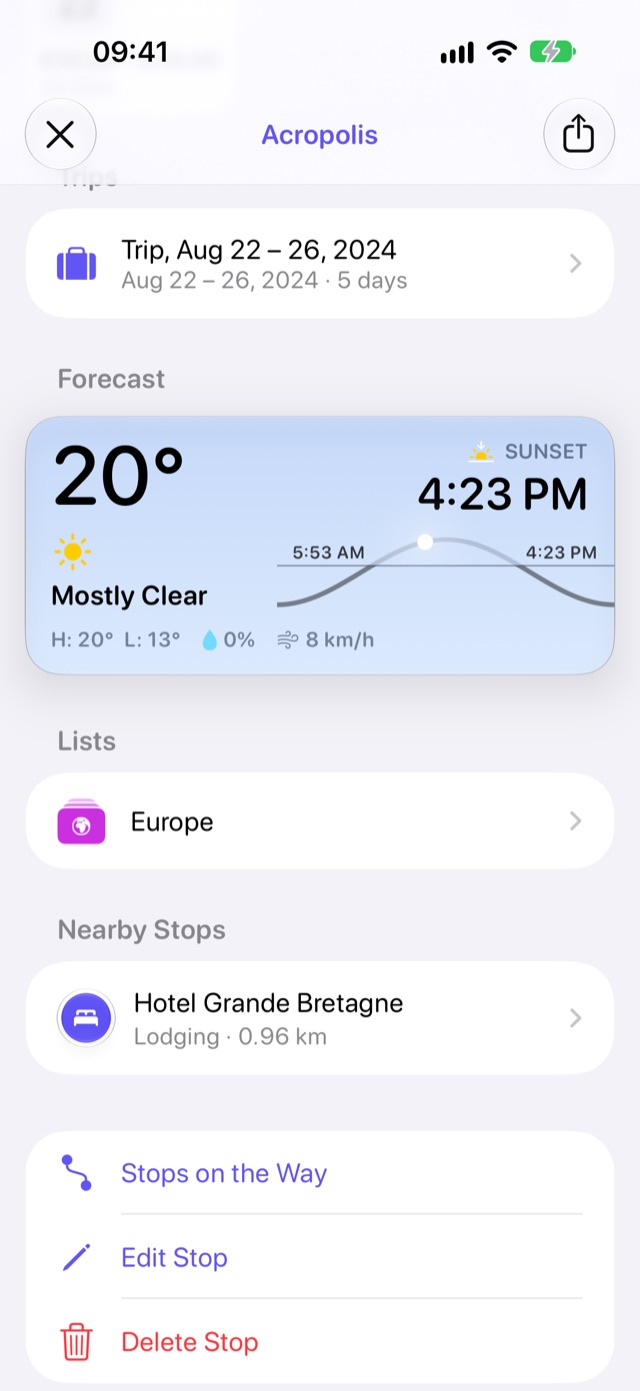
Comparing day trips used to mean a browser tab for each place, or jumping from the weather app to the map to find the place and back to the weather again. Open a stop and the weather is right there: hour by hour, the week ahead, and sunrise and sunset, so you know how much daylight is left, when to set the alarm for the sunrise, or when to be there for that sunset photo.
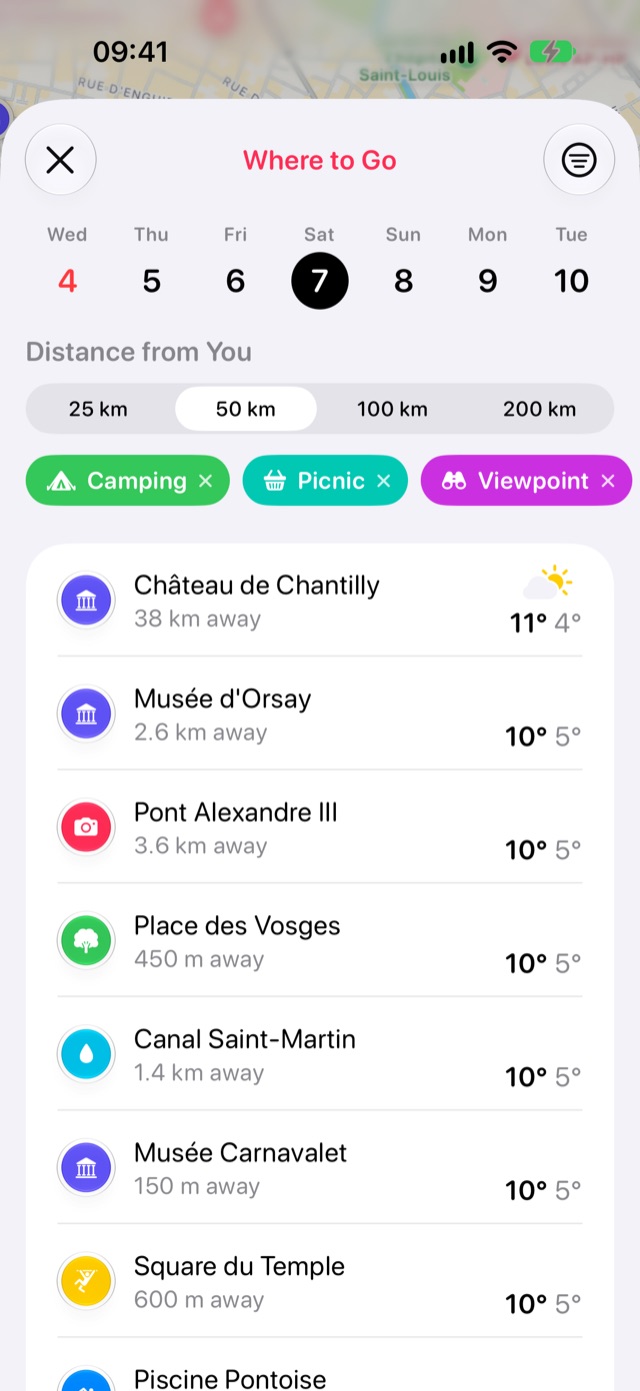
Where to go this weekend. Pro
Pick a day and Stops lines up your saved stops within reach, best weather first, with the day’s high, low and chance of rain. The lake or the viewpoint, decided in a glance.
- Narrow it to the kinds of places you fancy
- Nearby towns you haven’t been to yet, suggested alongside
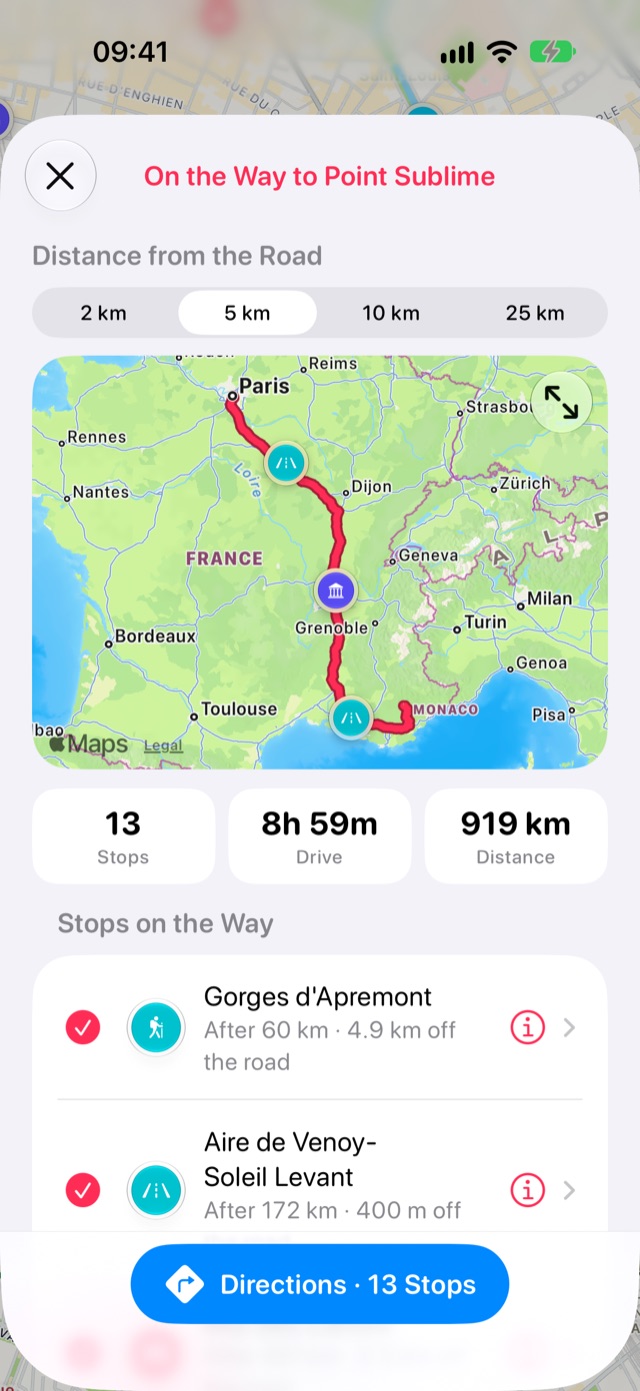
Your stops, on the way there.
Heading somewhere? Stops shows the places you saved along the drive, in the order you’ll reach them, with how far off the road each one is. Tick the ones you want and get directions through them all.
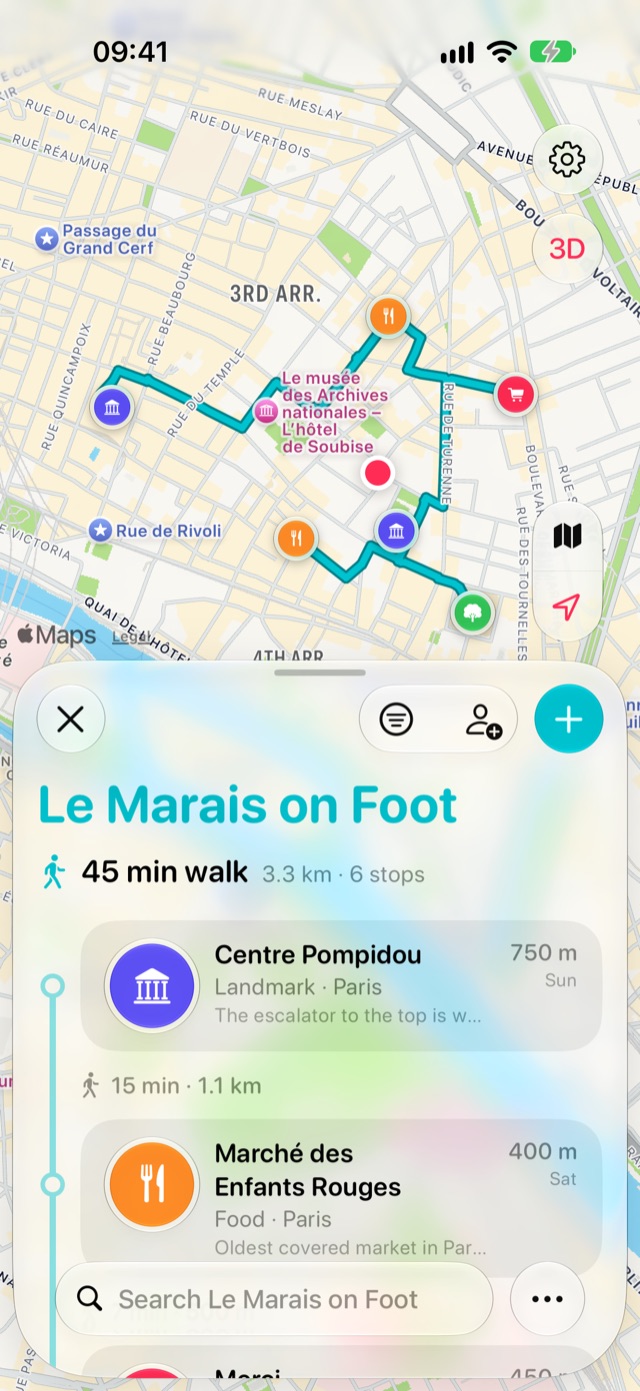
Itineraries, with the walking worked out. Pro
Put a list’s stops in the order you’ll visit them and the walk between each appears, with the whole route on the map. A longer list splits into days.
- Each stop ticks itself off as you get there
- An itinerary you made keeps working, Pro or not
Right there when you need it.
One app, in sync through your iCloud, on every screen you own.
Widgets
Your nearest stops on the Home Screen and Lock Screen, one tap from directions, and a button to save where you are.
Siri and Shortcuts
“Save a stop here” or “What’s my nearest stop?”, hands-free, with both hands on the wheel.
Spotlight and Visual Intelligence
Find any stop or list from Spotlight, or point the camera at a place to pull up its stop.
Arrival reminders
A gentle nudge when you’re near a stop you saved, with the note you left yourself. On only if you want it.
Your data, your way
Export everything or any list as GPX, KML or CSV whenever you like. Always free.
In your language
English, German, French, Spanish, Italian, Portuguese, Japanese, Korean and Chinese.
Made for iPhone Duo from day one.
Stops is ready for the new iPhone, closed or open.
Smart, and still private.
On devices that support Apple Intelligence, Stops writes up your trips, understands what you’re looking for and tidies what you bring in. It all runs on your device, never on a server, and without it everything else works just the same.
Trips that tell their own story
Once you’re home, each trip gets a title and a couple of lines about it, written from your own visits, towns and weather. Nothing is made up.
Ask in your own words
Search for “beaches I went to in Italy” or “that ramen place in Tokyo” and find the stops and visits you mean.
Save a whole article
Share a “best swimming spots in Provence” article from Safari and the places it names arrive together as a new list.
Tidier imports
Places brought in from Google Takeout or a GPX file get a category from their names, and new lists get a fitting icon and colour.
Plan by the day
Split an itinerary into days of nearby stops, each in an order that suits the day: the hike in the morning, the viewpoint for sunset last.
Siri knows your trips
“Open my Lisbon trip in Stops”, “When was I last in Rome?” or “How many countries have I been to?”
Free to keep your places. Pro for the extras.
Saving, lists, your map and your whole Timeline are free, for good. Stops Pro adds the parts that look back further and plan ahead.
Free
- Save stops, lists, pins and categories
- Timeline and all your history
- Share lists with others
- Stops on the way to wherever you’re going
- Import places from Apple Maps guides, Google Takeout and GPX
- Export everything, any time
- Widgets, Apple Watch, Siri and the share sheet
Stops Pro
- Visits from Photos and from Google Timeline
- Trip pages, stories and shareable maps
- A journal and a patch for every country
- The forecast on every stop, and Where to Go
- Weather at the time of each visit
- Itineraries with walking routes and day plans
Prices in US dollars. Local pricing on the App Store.
Where you go is nobody’s business. Not even ours.
An app that knows where you’ve been has to earn that. So Stops has no servers and no account. Your stops and visits live on your devices and sync through your own iCloud, the same way Notes and Photos do. Nothing comes back to us: no analytics, no ads, no tracking. We couldn’t look at your map if we wanted to.
Your next stop is out there.
Stops arrives on 1 December for iPhone, iPad, Mac and Apple Watch. Pre-order now and it downloads automatically on the day.
