
 Stops
How to fill in your past travels from your photos
Your photo library already knows where you’ve been. Stops can read the place and time of your photos and turn them into past visits, so trips, towns and countries from before Stops appear on their own. Then the photos you took at a place show up right there.
- Stops Pro
- A few minutes
- iPhone and iPad
What you need
- Timeline turned on in Stops: open Journal and turn on Timeline.
- Stops Pro.
Step by step
-
Open the import
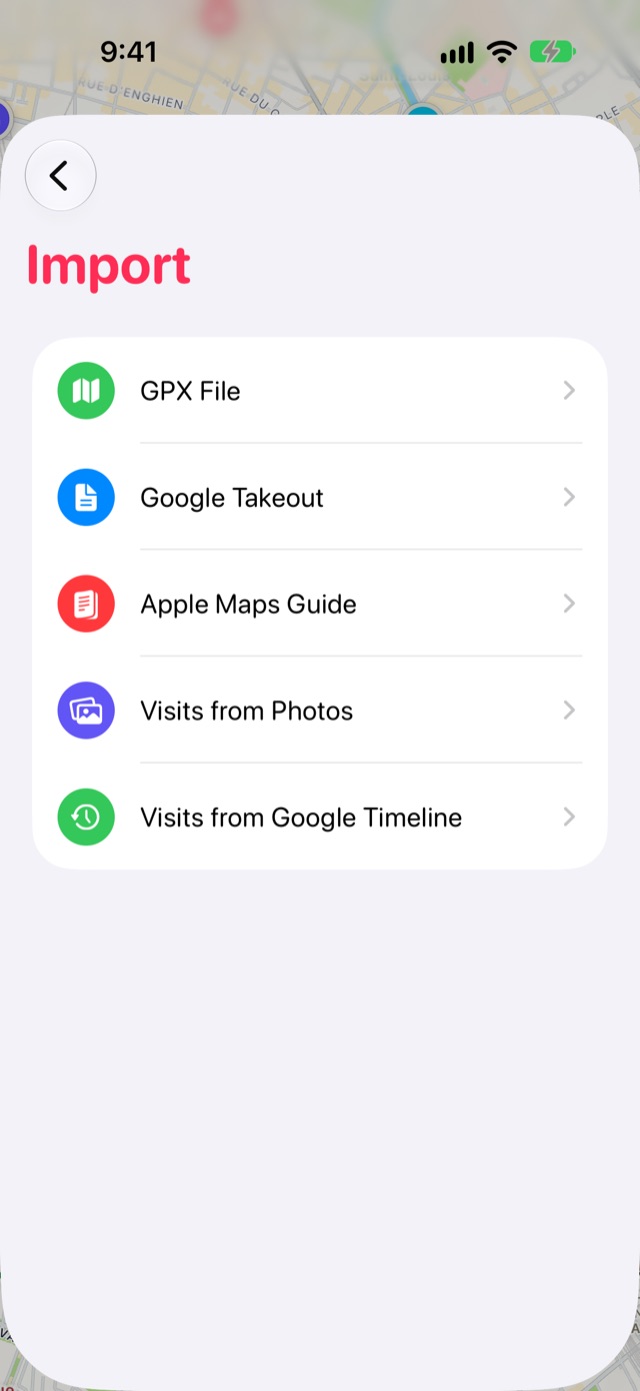
Open Journal from the book button at the end of the tab bar, then tap the Settings gear. Choose Import, then Visits from Photos.
-
Find visits
Tap Find Visits and allow access to your photos. Stops looks through the library for places where you took two or more photos or videos.
-
Review what was found and add it
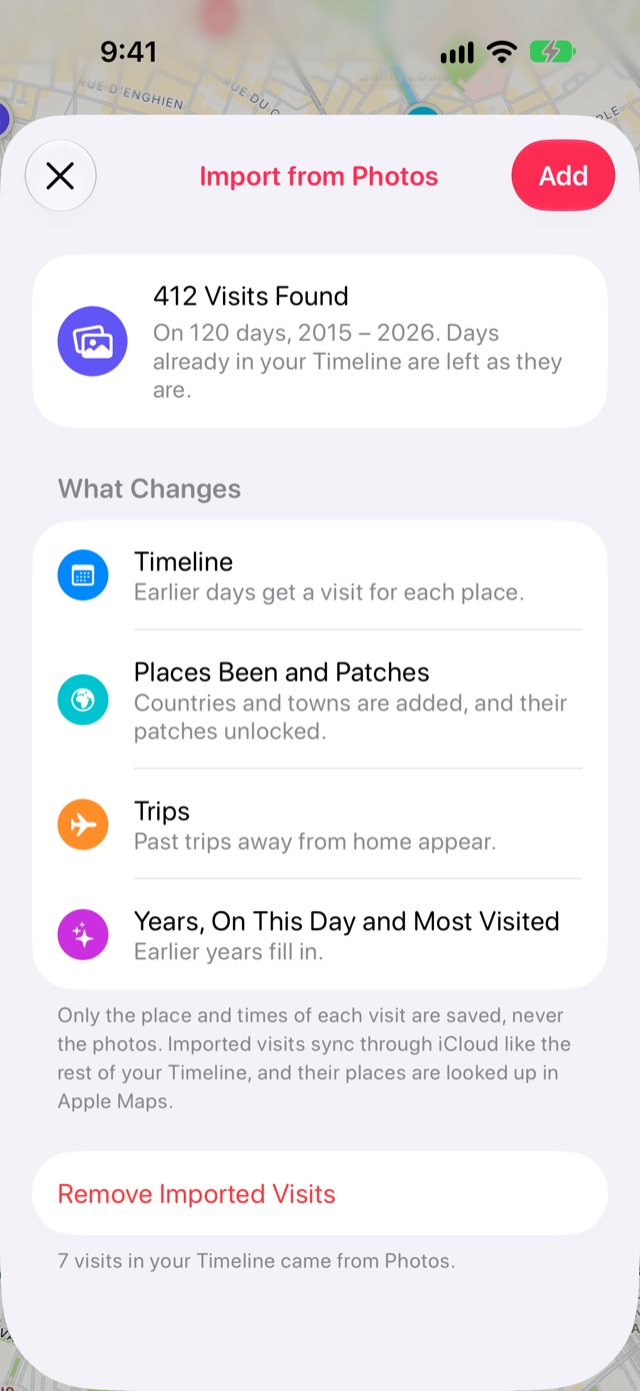
Stops shows how many visits it found and across which years. Days already in your Timeline are left as they are. Tap Add.
Good to know
- Only each visit’s place and times are saved. Your photos are never copied, stored or uploaded.
- Places are named through Apple Maps afterwards, and a Building Your Journal card shows the progress.
- To undo it, the same screen has Remove Imported Visits.
More guides
Google Maps TimelineFill in years of past visits from your Google Maps Timeline export.Save from any appShare a link, an article or a map pin to Stops, or just copy it.Export your placesTake your stops, lists and Timeline anywhere as GPX, KML or CSV.
Get Stops
Save the places you’ll come back to, on iPhone, iPad, Mac and Apple Watch.
