
 Stops
How to bring your Google Maps Timeline into Stops
If Google Maps kept your Timeline, years of the places you went are sitting on your phone. Export them and Stops turns them into past visits, so your trips, towns and countries fill in from before you had Stops.
- Stops Pro
- About 10 minutes
- Android or iPhone export
What you need
- Timeline turned on in Stops: open Journal and turn on Timeline.
- Stops Pro.
Step by step
-
Export your Timeline from Google
On Android, open the phone’s Settings app, then Location › Location services › Timeline, and choose Export Timeline data. On some phones Timeline sits directly under Location.
On iPhone, open Google Maps, tap your profile picture and open its settings. Choose Export Timeline data, found with the Timeline and location settings, then save the file to Files.
The file is usually called Timeline.json or location-history.json. Get it onto your iPhone, through iCloud Drive or AirDrop for example.
-
Open the import in Stops
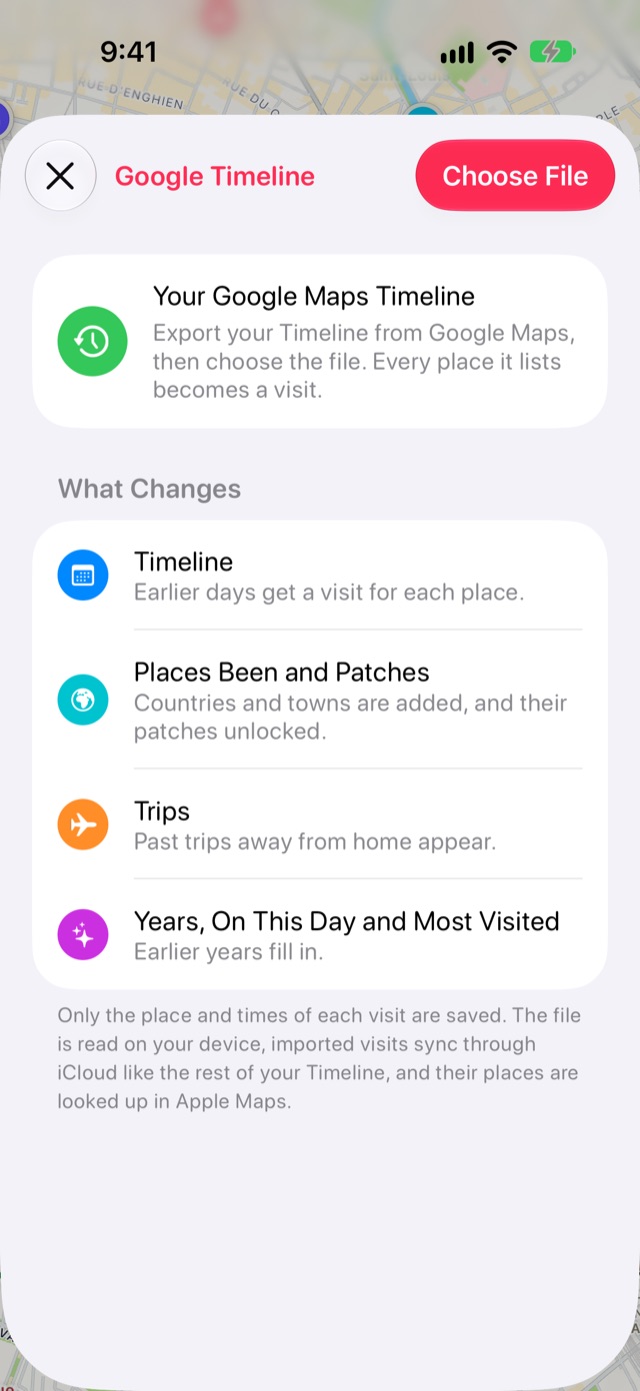
Open Journal from the book button at the end of the tab bar, then tap the Settings gear. Choose Import, then Visits from Google Timeline. The screen shows what an import changes before anything is read.
-
Choose the file
Tap Choose File and pick the export. Older Takeout downloads came as one file a month: select them all at once.
-
Review what was found and add it
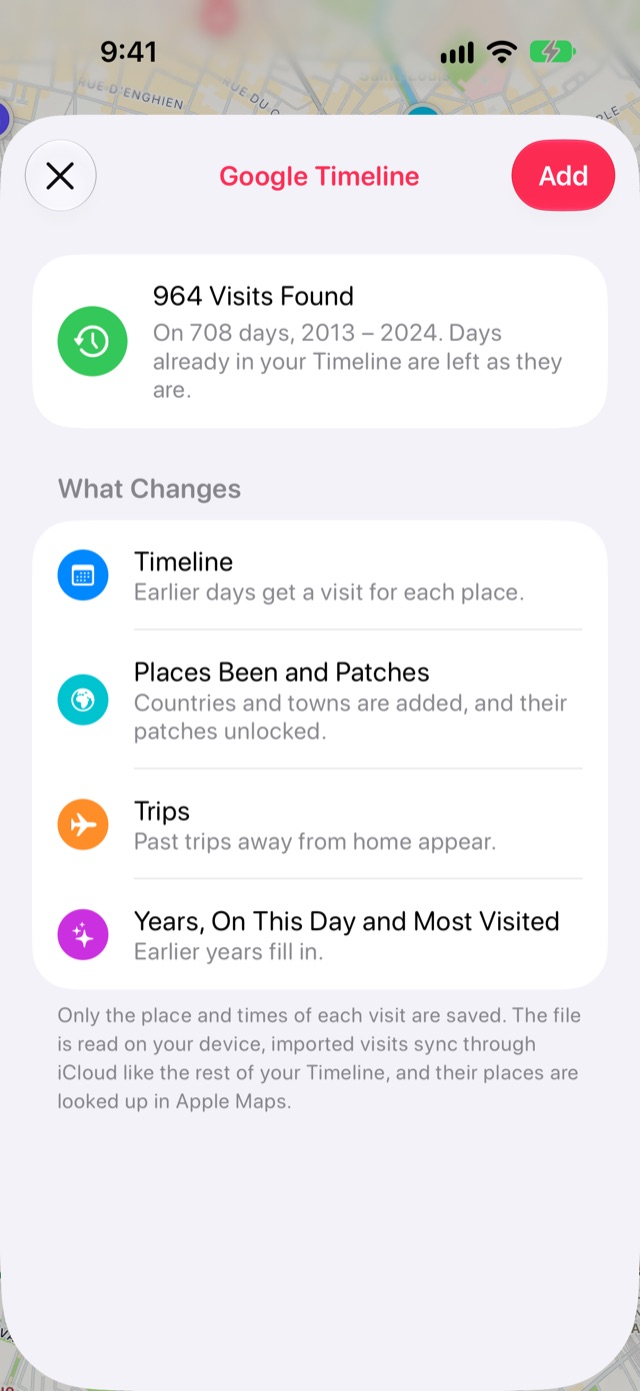
Stops shows how many visits it found, on how many days and across which years. Days already in your Timeline are left as they are. Tap Add.
-
Let your journal build
Stops names each place through Apple Maps and works out your trips and countries as it goes. A Building Your Journal card shows the progress. A long history takes a while, and it carries on next time you open Stops.
Good to know
- The file is read on your device. Only each place and its times are kept, in your own iCloud.
- Changed your mind? The same screen has Remove Imported Visits, which takes them off all your devices.
- A few regions get a CSV export from Google, which Stops can’t read yet.
More guides
Get Stops
Save the places you’ll come back to, on iPhone, iPad, Mac and Apple Watch.
